

The social bookmarking space is evolving every day. Every content creator sets out with a premise that their content is shared widely and should go viral.
But how many actually succeed? And what can you do to keep your content getting shared more often?
While many do share it over social platforms, that can only reach a certain number of followers at a time. Or the post can get hidden behind other updates and the user may never see it on their.
[color-box]Social Bookmarking is a great feature and helps in extending the life of your content.[/color-box]
Heard about long-tail SEO? Social Bookmarking could be one of the way to achieve it. Essentially, it is offline bookmarking going social. Which means, people can see what you have bookmarked and can even click those links if they find it interesting.
Often I find an interesting link, which I would like to catch up at later point of the day and either read further or leverage for some other task. The challenge with offline bookmarking was, it used to be device specific. Online bookmarking mitigated that, but social bookmarking took it forward and made it possible to share it further.
And I ended up using the following tools to do my job.
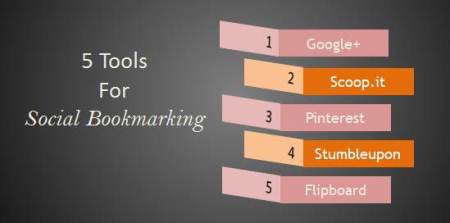
5 Tools for Social Bookmarking
1. Google+
Surprised!! Even I was when I first heard the tip about leveraging Google+ for Social Bookmarking. Since, many of my reading is on Google+, I have created an empty circle to share my link on. I access this circle during my reading time. It’s kind of a no frills bookmarking. The only drawback is, no one can see what I have shared in this circle.
2. Scoop.it
Scoop.it has been my companion for a long time now. It’s pretty easy to bookmark a URL here. The best part is, you can create a page to share all those URL and other users can subscribe to your page and follow it. As a subscriber, if you like any post, you can ‘rescoop-it’ or even share your own social platforms.
Follow me here: Quick Social Media
3. Pinterest
Pinterest is one of the best social bookmarking site as of date. The ability to view bookmarked links in form of visual is very pleasing. While food pins and other B2C pins dominate the platform, I have found it useful to keep track of my favorites and share it within the community.
Follow me: Malhar Barai on Pinterest
4. Stumbleupon
Stumbleupon was one of the earliest social bookmarking site. Though it has limited number of categories, owning to the huge follower base, it is very famous. And there’s an interesting history to Stumbleupon too – it was sold off to eBay before being bought back by it’s founders.
5. Flipboard
The latest in the list is Flipboard. While, it was a mobile app until recently, the web version is a great extension. Thanks to Aïda Boucheron to shared some interesting insights and her own storyboard, I find myself glued to Flipboad these days. Like Pinterest, this one too has a great visual interface which make story gazing fun.
There you go with some awesome tools.
And then there’s a traffic angle to social bookmarking too. Since users of these platforms are presented links to your content, social bookmarking enables generating inbound traffic too. So make sure you leverage it wisely.
Your Turn
1. What social bookmarking tools do you reckon?
2. Have you seen increased traffic due to social bookmarking?
I use Pocket to Bookmark/Read articles later..
That’s a good one. I am trying to get a hand on Flipboard these days
I used it too earlier..It kinda sucks all ur data plan with image heavy format..so stuck to feedly for now..;)
Indeed, it’s pretty image heavy. But I like the interface so far and they are pretty receptive about our suggestions.
I love each one of those tools Malhar! Flipboard has been my go-to app for a while, but I really love Feedly as well. It’s perfect on my iPad as well as my Mac. The Chrome extension makes it very easy to bookmark and buffer articles I find throughout the day.
@rebekahradice:disqus Am liking Flipboad too! The +Flip it button helps to bookmark articles pretty easily from the browser too.
You might want to join the Flipboard Club on Facebook. We have some great discussions going there.
You might also want to try Permamarks.com, a new tool currently in beta. With Permamarks, you simultaneously create a link to a current page AND an archived version. You can also curate your links into list pages with descriptions. (You get amazing analytics for links and lists.) The beauty is that your curation of links is evergreen – even if the pages you linked to are later removed or changed. Also, you can use Permamarks in conjunction with other social bookmarking services, especially great with Scoop.it – no more dead links!
Will definitely have a look at it. Thanks for sharing!
Pingback: 7 Blogs For 7 Days | Plugged In Recruiter
Pingback: Top 5 Posts on Flipboard - Week #32 - Malhar Barai